GlideRail vs Cluely: A Cluely Alternative That Doesn't Write Your Answers
Updated 2026-10-03 · 5 min read · Competitor facts last checked 2026-11-02
Short answer: Cluely is an AI meeting assistant: it listens, reads your screen and suggests answers in real time, with audio and screenshots handled by its servers. GlideRail is the opposite approach: a conversation rail that shows only what you prepared, processes audio on your Mac, and needs no account. Both can stay out of screen shares, but Cluely includes that only in its $149.99-a-month plan.
Cluely and GlideRail both put something on your screen during a call that the other side can't see. That's where the similarity ends. Cluely is an AI that tells you what to say. GlideRail shows you what you already prepared. Which one you want depends on whose words you want to say.
First, the bias: I created GlideRail
I built GlideRail, so read this as a maker's comparison. Every Cluely fact below comes from Cluely's own homepage, pricing page or privacy policy, or from TechCrunch's reporting, first checked on October 3, 2026; the prices were checked again on November 2, 2026. Cluely's strengths come first.
What Cluely is
Cluely calls itself an "undetectable AI notetaker and meeting assistant". It listens to your meeting, can look at your screen, and gives you notes and live answers in an overlay, without joining the call as a bot. It runs on Mac and Windows, with an iPhone app.
Its pricing page lists three monthly plans: a free Starter plan with limited use, Pro at $19.99 a month, and Pro + Undetectability at $149.99 a month. Hiding the overlay from screen sharing is in the $149.99 plan only. Annual billing costs less per month, and there's no free trial beyond the Starter plan.
Where Cluely wins
- It can help with things you didn't prepare. Cluely answers questions in real time. GlideRail only shows what you wrote, so if a question catches you cold, it can't help.
- Meeting notes and summaries. Cluely takes notes for you. GlideRail is for reading your prep, not for recording the meeting.
- Windows and iPhone. Cluely runs on both. GlideRail is Mac only.
- Free to start. Cluely's Starter plan is free, with limited AI responses and limited meeting notes.
Where GlideRail is different
Your words, not an AI's. GlideRail has no generative AI. Nothing in it writes, rewrites or suggests what to say. Its Live Rail feature (Pro, Apple Silicon) listens for topics and offers the matching card you wrote, and that's all. The words on screen are always yours.
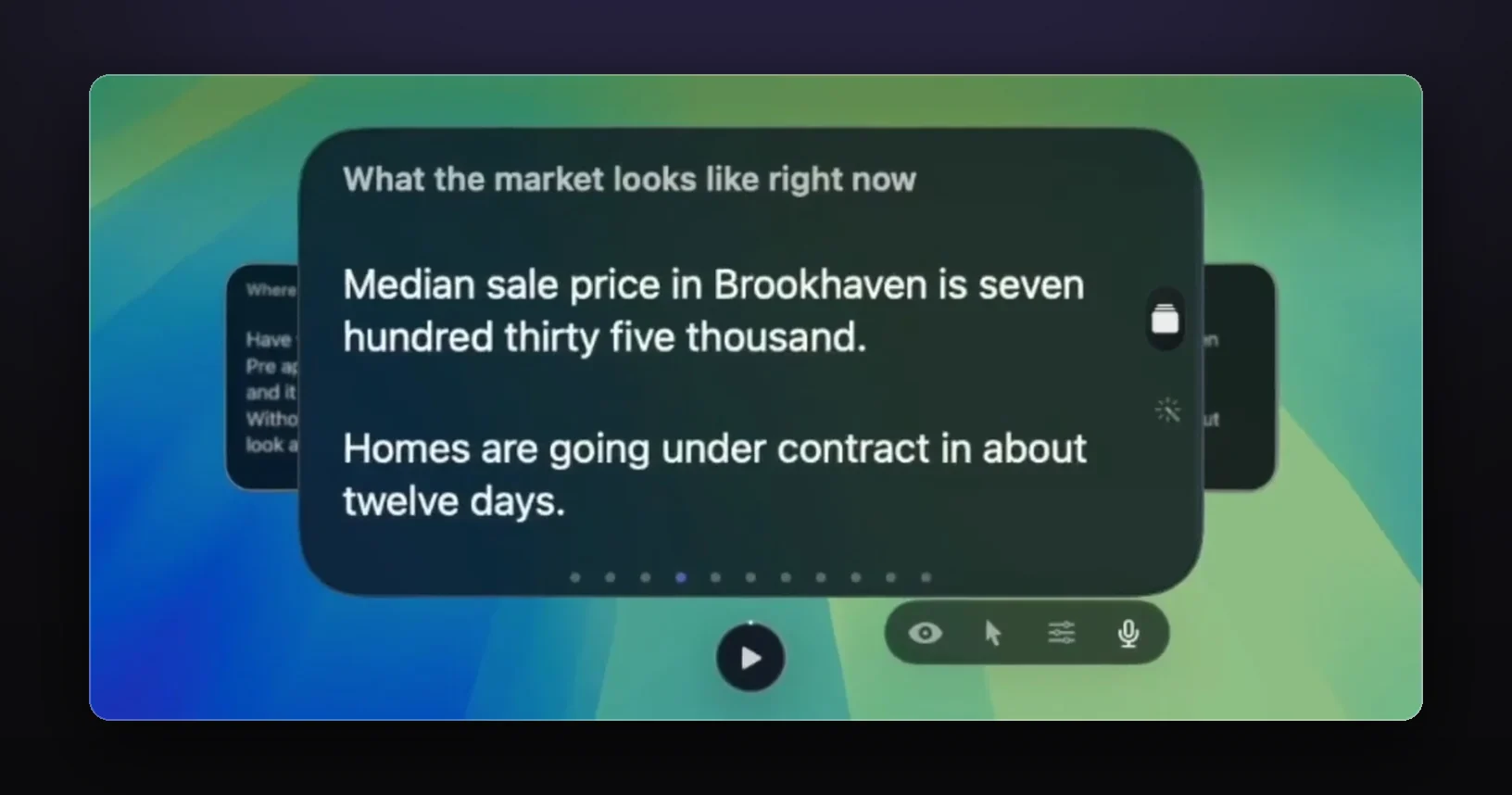
Audio stays on your Mac. Cluely's privacy policy says it collects audio recordings, transcriptions and screenshots, and shares them with service providers including transcription providers and cloud computing services. It also says it doesn't sell your data or train on it. GlideRail processes audio on your Mac for Live Rail and Voice Follow; nothing is saved to disk or sent anywhere.
No account. GlideRail stores your notes as files on your Mac. There's nothing to sign up for.
Hiding from screen shares is in every Pro plan. GlideRail Pro is $99 a year ($8.25 a month, billed yearly), $19.99 a month, or $249 once, and every plan includes invisibility. In Cluely, it's the $149.99-a-month tier.
A full free version. GlideRail free gives you unlimited notes, folders, a rich editor, imports of PDFs, Word files and images, and floating windows you can put anywhere. Cue Mode turns your notes into cards you jump between when the conversation skips ahead.
| Cluely | GlideRail | |
|---|---|---|
| What it does | AI listens and suggests answers | Shows notes you wrote |
| Writes or suggests answers | Yes | No, by design |
| Where audio is processed | Collected and shared with its processors (per its privacy policy) | On your Mac; not saved or sent |
| Account | Sign-in account (name, email, password, per its privacy policy) | None |
| Hidden from screen sharing | Pro + Undetectability plan ($149.99/mo) | Every Pro plan |
| Price | Free Starter; Pro $19.99/mo; $149.99/mo with hiding | Free version; Pro $99/yr, $19.99/mo or $249 once |
| Platforms | Mac, Windows, iPhone | Mac (macOS 14+) |
| Brings up the right note when a topic comes up | It writes a new answer | Live Rail offers your matching card (Apple Silicon) |
Why people look for a Cluely alternative
Interviews. Cluely began as a tool built around cheating. TechCrunch reported in April 2025 that its founders were suspended from Columbia over an earlier interview-cheating tool, and that Cluely launched to help people "cheat on everything". Its manifesto still includes that line. Interview platforms have responded: HackerRank's desktop app mode closes other programs during a test, and HackerRank names Cluely as one of the tools it blocks. If you want help in interviews, the safe kind is your own preparation, used where notes are allowed. The interview guide covers where that line is.
Sales and client calls. If what you sell is your judgment, an AI suggesting lines can say something you haven't checked. Notes you wrote, with your numbers, can't.
Privacy and cost. Some people don't want call audio and screenshots leaving their computer, and $149.99 a month is a lot for screen-share hiding.
That doesn't make Cluely a bad product. It's built for a different job: live AI help. If that's the job you want done, Cluely does it, and GlideRail doesn't try to.
Verdict
Pick Cluely if you want an AI to listen and suggest answers in real time, need Windows or iPhone, or want automatic meeting notes. Check that it's allowed wherever you plan to use it.
Pick GlideRail if you want your own prepared notes in view, right under your camera and out of your screen share, with audio processed on your Mac, no account, and nothing writing words for you. GlideRail is free to download, and the 7-day Pro trial covers invisibility, Cue Mode and Live Rail.
FAQ
Is GlideRail an AI assistant like Cluely?
No. GlideRail has no generative AI, and it never writes or suggests what to say. Everything it shows is your own prep. The only AI in it runs on your Mac: text recognition for imported images and the speech recognition that lets Live Rail and Voice Follow follow the conversation.
Is Cluely invisible to screen sharing?
Cluely advertises its overlay as invisible to screen share, and its pricing page includes that in the Pro + Undetectability plan at $149.99 a month, not the $19.99 Pro plan. Interview platforms like HackerRank say their desktop app mode blocks it during tests.
Does Cluely send my audio to the cloud?
Its privacy policy says it collects audio recordings, transcriptions and screenshots, and shares them with service providers such as transcription and cloud computing providers. It also says it doesn't sell your data or train on it. GlideRail processes audio only on your Mac.
Which is cheaper, Cluely or GlideRail?
Cluely Pro is $19.99 a month and GlideRail Pro monthly is $19.99, but Cluely Pro doesn't include screen-share hiding; that plan is $149.99 a month (Cluely's pricing page, checked November 2, 2026). GlideRail includes hiding in every Pro plan, including $99 a year or $249 once. Both have a free version.
Can I use GlideRail in a job interview?
Yes, the way you'd use any notes you wrote, in interviews where notes are allowed. Don't use it in proctored tests or anywhere aids are banned. It shows your own stories and numbers; it doesn't answer for you.
Written by Takumi, maker of GlideRail. Competitor facts checked October 3, 2026; prices checked again November 2, 2026.